Shoperize Price Calculator Is Live on the Shopify App Store
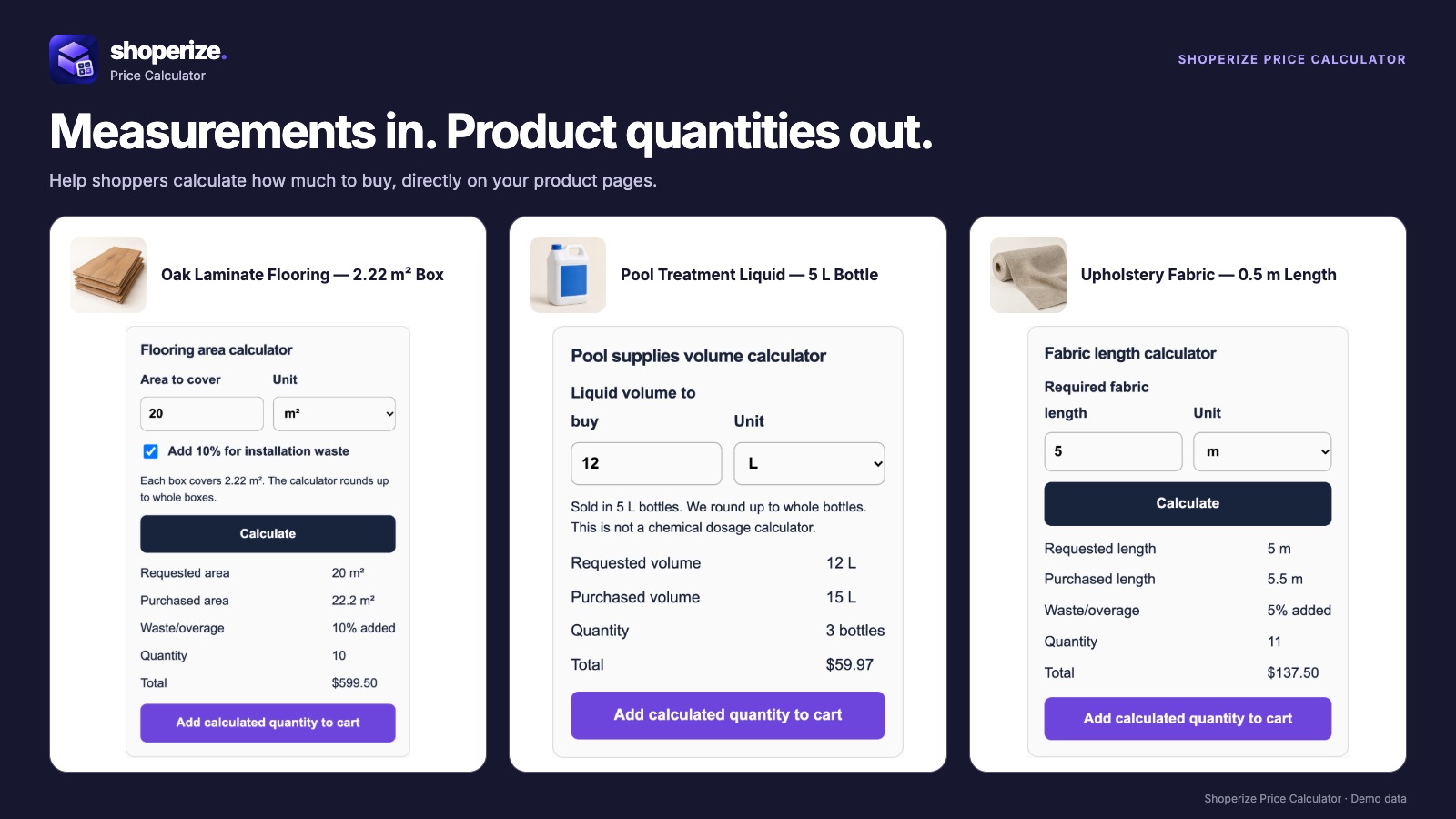
Shoperize Price Calculator is now live on the Shopify App Store. It helps shoppers work out how much to buy when your products are sold by measurement or package coverage, including flooring, tile, fabric and rolls.
Customers enter their measurements on the product page. The calculator applies your configured rules and shows the required product quantity, purchased coverage and estimated total, with measurement details carried into the cart.
From square footage to whole boxes
Here is an illustrative flooring order. A shopper has a 12 by 14 foot room, your store uses a 10% waste allowance, and one box covers 20 square feet.
- Room area: 12 × 14 = 168 square feet.
- Area including waste: 168 × 1.10 = 184.8 square feet.
- Boxes required: 184.8 ÷ 20 = 9.24, rounded up to 10 boxes.
- Purchased coverage: 10 × 20 = 200 square feet.
If the sample product costs $60 per box, its subtotal is $600 before taxes, shipping or discounts. These are example inputs, not a recommended waste allowance or the app's subscription price. Set coverage and installation allowances to match your products.
The shopper can see why the order contains 10 boxes and how that quantity relates to the space they need to cover.
Configure the calculator around your selling unit
Shoperize supports area, dimensions, length, volume and weight calculations, depending on your plan. You define what one purchasable unit supplies, then configure conversion, waste, rounding and limits for the assigned products.
For flooring, that unit might be a box. For fabric, it might be a defined length increment. For a packaged liquid, it might be a bottle with a specified volume. Your Shopify variant's price and the calculator's selling unit need to describe the same thing.
The app uses Shopify catalog prices and calculated quantities. Its purpose is to connect a customer's measurement to the product units they should purchase.
Start with one product
Choose a product with straightforward coverage information for your first calculator. Keep its package size and Shopify selling unit handy, then follow the setup guide.
- Install Shoperize Price Calculator and open it in Shopify admin.
- Create a calculator using a recipe that matches how the product is sold.
- Enter the measurement supplied by one unit and configure the applicable waste, conversion and rounding settings.
- Assign the product and check its variant, units and result in the preview.
- Publish the calculator, add the Shoperize Price Calculator app block to the product template in your theme editor, and save your theme changes.
Test the storefront with a measurement that fits a whole package and another that needs rounding up. Add the calculated quantity to the cart and check the measurements and coverage. If you sell variants with different package sizes, verify their setup before making the calculator available to shoppers.
Keep coverage clear when the cart changes
Shoperize retains measurement details in the cart and updates purchased coverage when quantities change. This helps the shopper see the relationship between the amount requested and the product quantity being purchased.
In the flooring example, 10 boxes provide 200 square feet. If the shopper changes that to 11 boxes, purchased coverage becomes 220 square feet. The room measurement remains separate from the extra material in the order.
Choose the plan that fits your setup
The Free plan supports one published area calculator assigned to up to three products, including metric and imperial conversion, waste allowance and package rounding. Pro adds more calculator types and advanced configuration, with editable AI-assisted drafts and reusable merchant templates.
Check the current plan comparison for pricing, limits and the features your store needs. Starting with one area calculator gives you a practical way to check the buying experience on your own products.
Put a calculator on your product page
Install Shoperize Price Calculator from the Shopify App Store, then set up a calculator for your first measured product. If you need help choosing a selling unit or checking a rule, visit the Shoperize help center.